
Introducing the new Santa Browser ad-blocking feature! With our Chromium-based browser, you can enjoy an ad-free experience with a lighter footprint. Santa Browser comes standard with helpful tools and features to help you find what you're looking for, stay productive, and stay protected while online. Get started now and easily change your default search engine from Yahoo anytime via the settings page.
- Import bookmarks and settings from your browser
- Start Santa Browser with Windows
- Set as default browser
- Run in background for startup boost and daily updates
You Deserve a Browser That Looks Out For You
Browse Safely Wherever Your Search Takes You
Ad Blocker
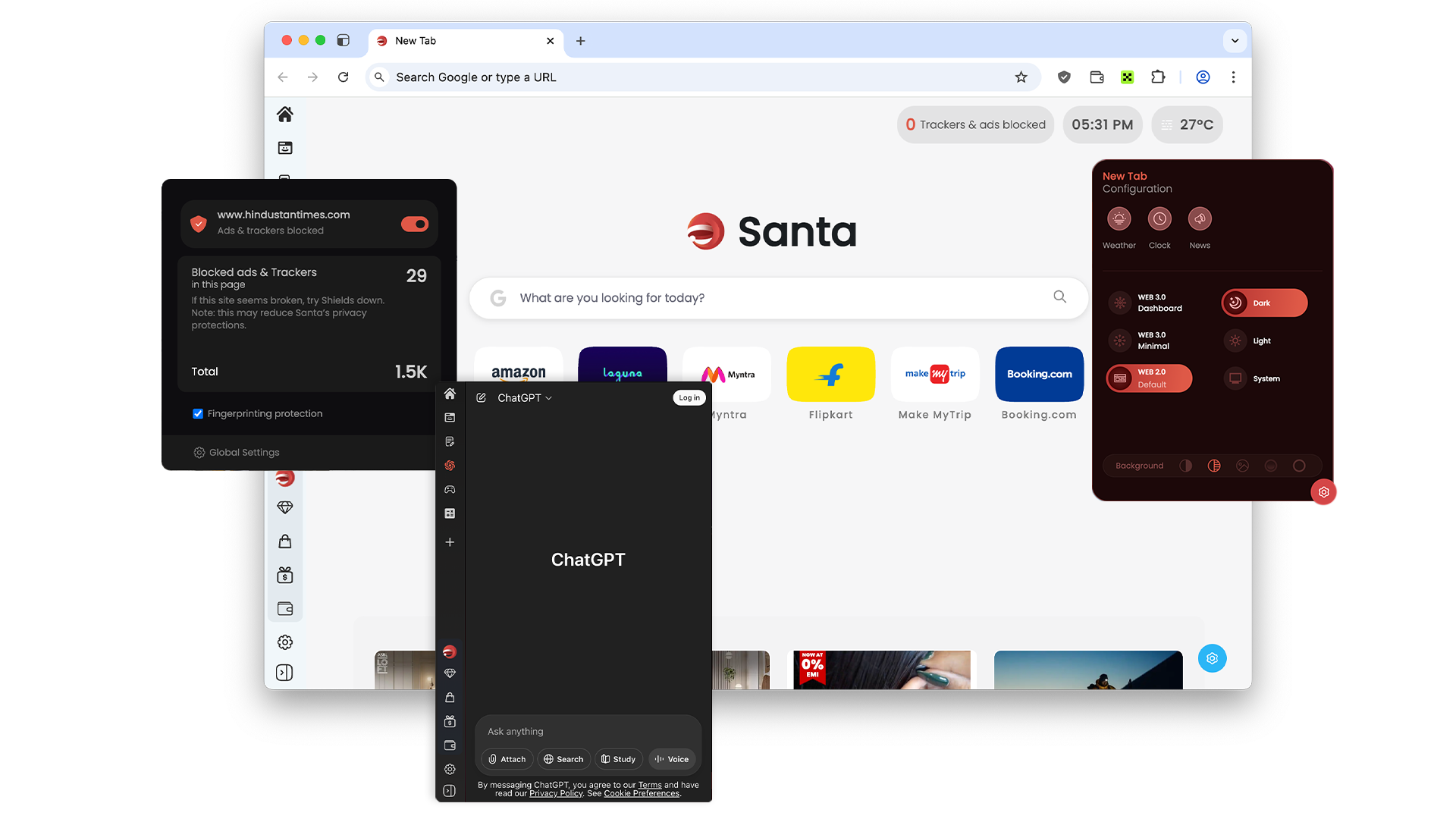
Say goodbye to intrusive ads with Santa Browser's built-in Ad Blocker. Enjoy a cleaner, faster browsing experience. Santa's ad blocker intelligently blocks unwanted ads, banners, and pop-ups, allowing you to focus on the content that matters to you.
Incognito Mode
Browse privately with Santa Browser's enhanced incognito mode. Keep your browsing history secure and prevent tracking while maintaining full functionality and speed.
AI Assistant
Enjoy the power of smarter browsing. Santa's integrated AI Assistant is your trusted companion, ready to provide instant answers, and streamline tasks, making your browsing experience more efficient and enjoyable.
Santa Browser Comes Standard With Helpful Tools
Revolutionize your online experience with integrated extensions. Built on
the reliable and familiar foundation of Chromium, Santa Browser takes your
browsing to the next level.
Enjoy FREE Ad Blocker and AI Assistant
with Santa, just by making Santa your default browser. No fees. No catch.
Just smarter browsing.
- Incognito Mode
- Socials Chat Notifier
- Language Translator
- PDF Annotator
Put Productivity Back In Browsing
Santa Browser's sole aim is to make your life simpler and more efficient. Change your default browser settings to our Chromium-based browser for a fast browsing experience. Santa Browser comes with helpful tools and features to help you find what you're looking for, stay productive, and stay protected online. Santa Browser defaults to Yahoo for search results, but you can change it anytime via the settings page.

Enhanced Search Results
Allows you to keep your search results in sight. Search results that are clicked will open automatically in a new window, for easy navigation back to your original search results.

Utilities Sidebar
Access a growing set of useful features right in the sidebar of your browser. You can browse privately in incognito mode, make shopping lists, convert files, write notes, and more.

Santa Notifier
Santa Notifier integrates with popular email services, like Yahoo Mail and Gmail. It shows notifications for new emails if you are logged into one of the supported services.

Tab Capture
Tab Capture is an easy way to screenshot your current browser tab. Capture the visible area or select a custom one, then edit and annotate the picture.